

















Lives inside Slack. Nothing to upload.

Sticker packs your team will actually use.

One click in the shortcuts menu, browse the pack privately, pick one and press Send. The sticker lands in the channel — or in the thread you opened it from — with your name on it. No uploads, no emoji admin, no fuss.

Packs
6
Stickers
248
Sent
56
design

Maya Chen10:24

Heart-framed photo of Jim and Pam

Only visible to you

The Office
  • Heart-framed photo of Jim and Pam

    Office Love

    Send
  • Best Friends photo of Michael, Dwight and Jim

    Best Friends

    Send
  • Michael saying count me in as who cares

    Who Cares

    Send
  • Michael declaring bankruptcy

    I Declare Bankruptcy

    Send
How it works

Three seconds from thought to sticker.

The whole flow happens inside the message box, so nobody has to leave the conversation.

  1. Open the shortcuts menu

    The lightning bolt beside the message box opens straight onto the packs. Nothing to install for your teammates, and nobody sees you browsing.

  2. Pick the sticker you want

    Every pack opens as a grid, two across, and only you can see it. Press the Send button under the one you want.

  3. It lands in the channel

    The sticker posts with your name and avatar on it, exactly like a Telegram sticker, and the picker gets out of your way.

The library

248 stickers, ready to send.

Every pack credits its own artwork and licence on its pack page.

All packs
Heart-framed photo of Jim and PamBest Friends photo of Michael, Dwight and JimMichael saying count me in as who caresMichael declaring bankruptcyMichael staring blankly at the camera

The Office

Quotes your team already says out loud.

Thirty screen-grab reactions from Dunder Mifflin, imported from a Telegram pack. Bankruptcy declarations, malicious laughs, and the only honest answer to a Monday morning stand-up.

30 stickersView pack

A fluffy white cartoon bunny, lying downA fluffy white cartoon bunny, watermelonA fluffy white cartoon bunny, wavingA fluffy white cartoon bunny, big sighA fluffy white cartoon bunny, shy hearts

Fluffy Bunny

Soft answers for everyday chatter.

Thirty soft-edged bunny reactions imported from a Telegram pack. Sleepy, delighted, quietly devastated, and every mood in between, for the messages that need a gentler tone than an emoji.

30 stickersView pack
Mr Bean, who are youMr Bean, walks inMr Bean, bean wavesMr Bean, long flightMr Bean, deadpan

Mr Bean

The face your team makes on a Monday.

Forty-nine screen grabs of a man having a difficult day, imported from a Telegram pack. Blank stares, smug grins and quiet panic, all of which turn up in a work channel eventually.

49 stickersView pack
Patrick Star, a pink cartoon starfish, shrugPatrick Star, a pink cartoon starfish, laughingPatrick Star, a pink cartoon starfish, big grinPatrick Star, a pink cartoon starfish, blowing a kissPatrick Star, a pink cartoon starfish, hiding

Star Patrick

Enthusiasm first, thinking later.

Twenty-five pink starfish reactions imported from a Telegram pack. Big grins, bigger panic, and the confident wrong answer your channel has been waiting for.

25 stickersView pack
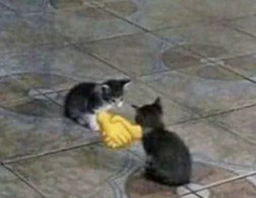
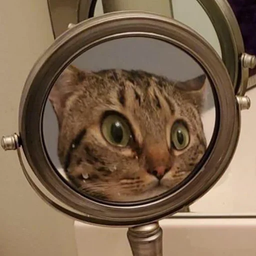
Too Cool stickerAaaaaaa stickerMirror Check stickerUp To Something stickerUtterly Shocked sticker

Cat Chain

Every mood, as a cat.

Thirty-three cat reaction photos imported from a Telegram pack. Smug, sobbing, standing upright for no reason, and quietly judging the whole thread. The pack for when a word would be too many.

33 stickersView pack
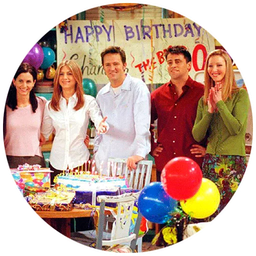
Still In Bed stickerHappy Birthday stickerBig Smile stickerMorning Coffee stickerSmoke Break sticker

Friends

The one with all the reactions.

Eighty-one round-cut moments from Friends, imported from a Telegram pack. Joey's thumbs up, Ross's rage, Phoebe's gasp, and the turkey. For the group chat that quotes it anyway.

81 stickersView pack
The interface

One shortcut. That is the whole interface.

Nothing to type and nothing to remember. The picker lives in the shortcuts menu next to the message box, opens over the conversation where only you can see it, and posts nothing at all until you choose a sticker and press Send.

Read the setup guide
  • Send a stickerOpen the picker

    Sits in the shortcuts menu beside the message box. One click opens the grid right in the conversation, where only you can see it, with nothing typed and nothing posted.

  • Choose a packSwitch in one tap

    A dropdown at the top of the grid holds every pack. Change it and the stickers underneath redraw in place.

  • Tap SendStraight from the grid

    Stickers show two across with a Send button under each one. Tap it and that sticker posts, and the grid clears itself away.

Give your channels something to react with.

Install Stickr in your workspace, run the setup once, and every teammate has all 248 stickers from their message box.

248 stickers available across 6 packs.

Made with Modulify